A fast, clean media player for your TV
Veyra Player plays the service you already have. Live TV with a program guide, catch-up, a movie and series library, profiles and parental lock — made for the remote.
Veyra Player does not include any channels, films or other content.
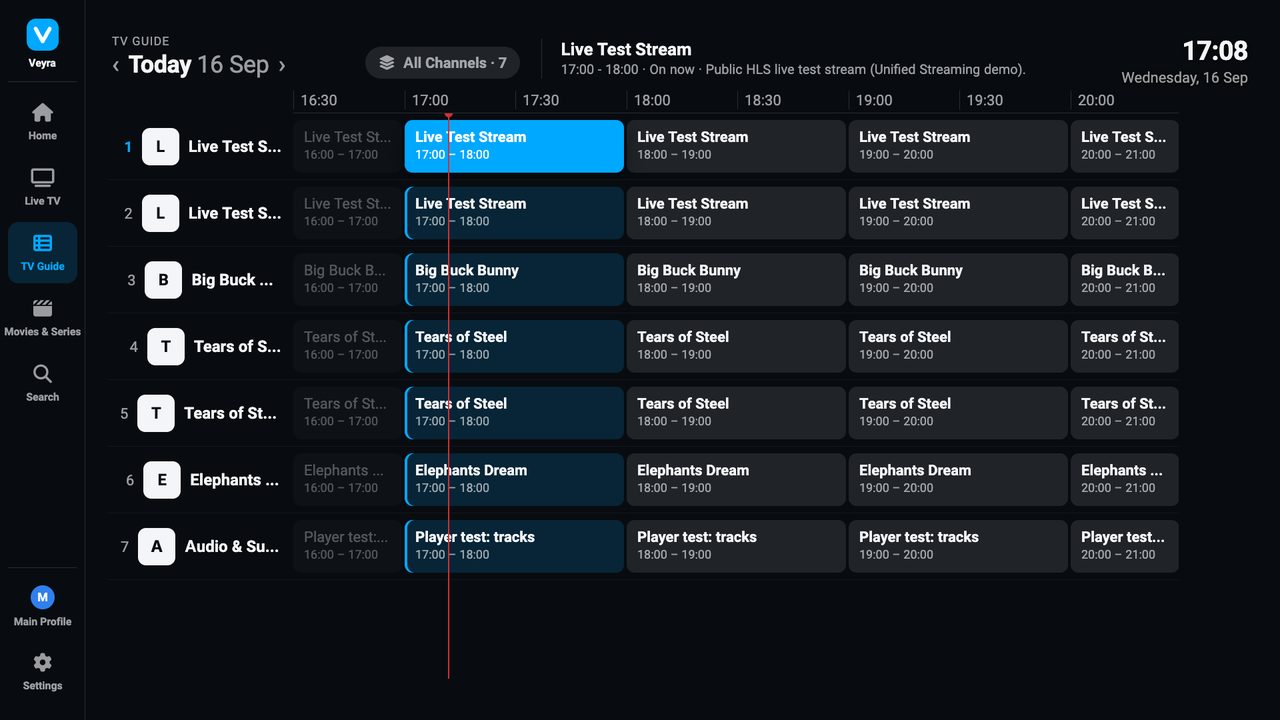
Shown with royalty-free demo content (Blender Foundation open movies, CC BY).
Everything you expect from a TV player
Live TV & program guide
Channel list with categories and favourites, a full-screen guide and now / next on every channel.
Catch-up & timeshift
Pause live TV, rewind, and watch earlier programmes when your service supports it.
Movies & series
A library with seasons and episodes. Continue watching exactly where you stopped.
Profiles & parental lock
Separate profiles, a kids profile and a PIN lock for categories you choose.
Audio & subtitles
Switch audio tracks and subtitles, and set your preferred languages once.
Works with standard formats
M3U playlists with XMLTV guide, Stalker / Ministra portals and Xtream-compatible APIs.
How it works
Install on your TV
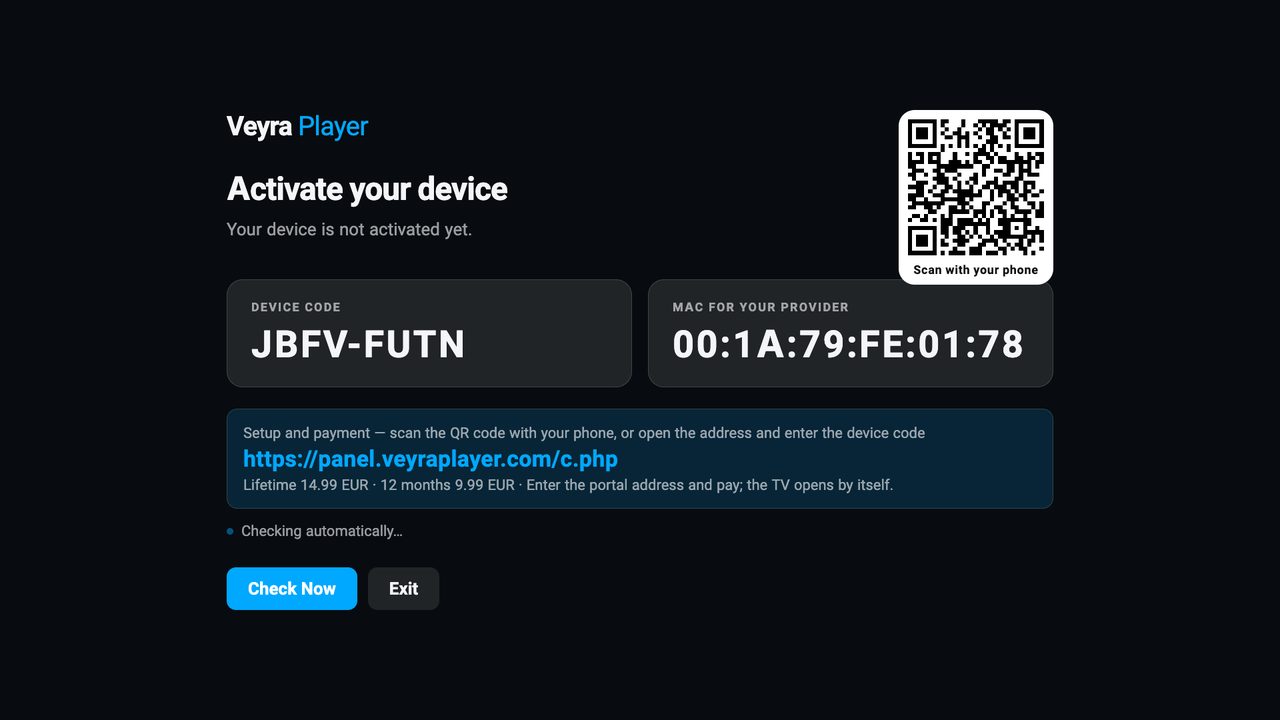
Open Veyra Player on your Samsung Smart TV. It shows a device code and a QR code.
Activate
Scan the QR code or enter the device code on our activation page and choose a licence. The TV unlocks within seconds.
Add your service
Add the playlist or portal address you received from your own provider — on the TV or from your phone.
Important
Veyra Player is only a player. We do not provide, sell, host or link to any channels, films, series or subscriptions. You need your own service from a provider, and you are responsible for having the right to use it.
Pricing
You buy a licence to use the app on one TV. The licence does not include any content.
Free trial available: 7 days.
Payment, delivery and refunds
Payment
Secure checkout by Stripe. Accepted: Visa, Mastercard, Apple Pay, Google Pay, Klarna, PayPal, MobilePay. We never see or store your card details.
Delivery
Digital licence. Your TV is activated automatically right after payment — nothing is shipped.
Refunds
Your right of withdrawal applies until the licence is activated and used; after activation the digital licence is consumed. If something does not work, contact us first — we help, and refund where the law requires it.
Setup guides
Step-by-step help for connecting your own service on a Samsung Smart TV.
How to play an M3U playlist on a Samsung Smart TV
Add your own M3U playlist to a Samsung Smart TV with Veyra Player: channels, groups, logos and an XMLTV guide, set up from the TV or your phone.
Read guide →Stalker / Ministra portal on a Samsung TV without a MAG box
Connect a Stalker or Ministra portal to your Samsung Smart TV. Veyra Player signs in the same way as a MAG box: live TV, guide, catch-up, movies and series.
Read guide →Moving from a MAG box to your Samsung TV
Replace your MAG set-top box with the Samsung Smart TV you already have. Keep your portal account and MAC, and watch with a modern interface.
Read guide →Add an Xtream-compatible account on a Samsung TV
Use your provider’s Xtream-compatible login on a Samsung Smart TV with Veyra Player: live channels, TV guide, catch-up, movies and series.
Read guide →TV guide (EPG) and catch-up on a Samsung TV
See what is on now and next, browse a full TV guide, set reminders and watch earlier programmes from your provider’s archive on a Samsung Smart TV.
Read guide →Questions
- Does Veyra Player include channels?
- No. It is a player only. It contains no content and no links to content. You connect a service you already have from your own provider.
- Which TVs are supported?
- Samsung Smart TVs with Tizen. The licence is for one TV; if you replace your TV, contact support.
- Where do I get a playlist or portal address?
- From the provider you have your service with. We do not sell or recommend services.
- Can I use several services?
- Yes. You can save several playlists or portals on one TV and switch between them.